Cherry Studio Configuration
Pay-as-you-go MiMo API and Token Plan both support Cherry Studio. Refer to this guide for configuration and usage.
Prerequisites
Obtain Credentials
Supports two usage methods, but the corresponding credential acquisition methods are different:
| Usage Method | Description | Acquisition Method (BASE_URL and API Key below are examples) |
|---|---|---|
| Pay-as-you-go MiMo API | Charged based on actual usage, suitable for light use |
Go to API Keys to create an API Key |
| Token Plan | Fixed subscription fee, with limited calls based on the package |
After successful subscription, go to Subscription to obtain the exclusive Base URL and API Key |
Install Cherry Studio
Cherry Studio is a desktop AI client that supports multi-model conversations.
-
Official website: https://www.cherry-ai.com
Configure Basic Settings
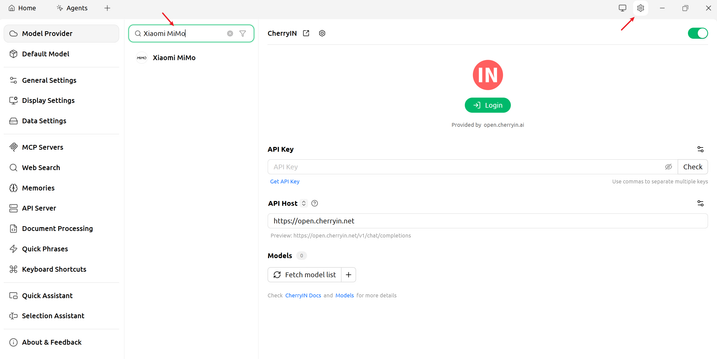
1. Find provider Xiaomi MiMo
Click the settings icon in the upper right corner, go to the Model Services page, and search for Xiaomi MiMo in the search box.
2. Configure basic settings
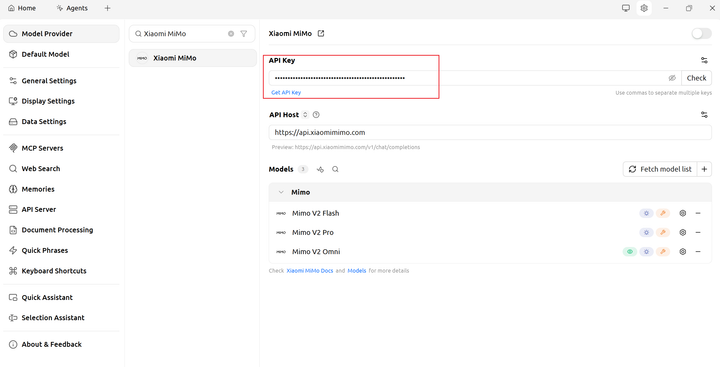
Pay-as-you-go MiMo API
Since the Xiaomi MiMo model service is already provided by Cherry Studio officially, you only need to provide the API Key obtained through this method. Keep the API Host unchanged.
Token Plan
After successfully subscribing to Token Plan, replace with the dedicated Token Plan API Key and API Host (BASE_URL).
Note: Token Plan is temporarily unavailable in Agent mode.
Use Cherry Studio
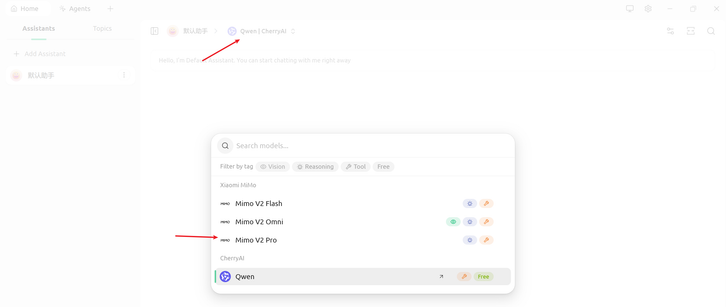
Select the model you need to use from the model list, and you can have a normal conversation.
Enable Thinking Mode (Optional)
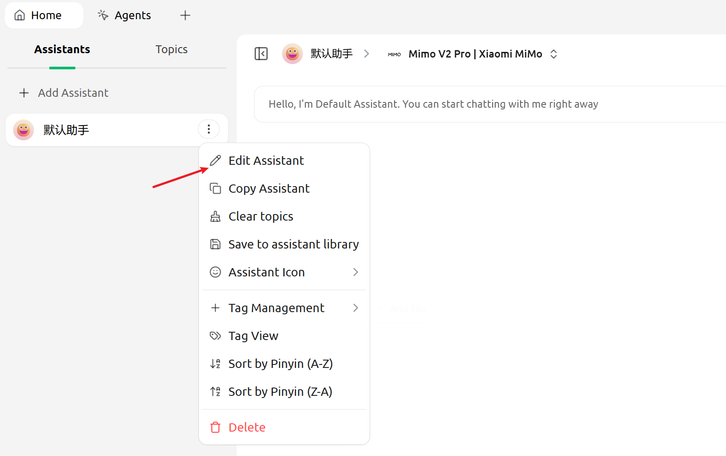
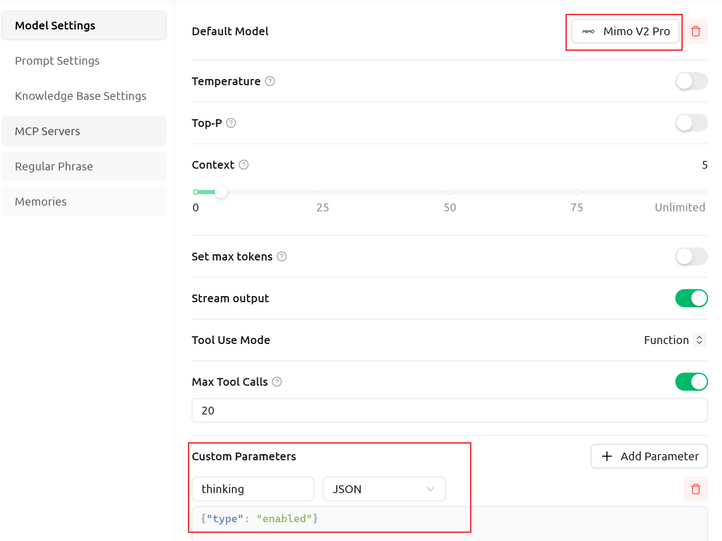
Click assistant settings and add a custom parameter: "thinking": {"type": "enabled"}.
You can also adjust temperature, context window, and other parameters as needed.