Cherry Studio 配置
按量付费的 MiMo API 和 Token Plan 均支持 Cherry Studio,可参考本文进行配置与使用。
前置工作
获取凭证
支持两种使用方式,但对应的凭证获取方式不同:
| 使用方式 | 说明 | 获取方式(以下为 BASE_URL 和 API Key 均为示例) |
|---|---|---|
| 按量付费 API 调用 | 按实际使用量计费,适合轻度使用 |
前往 API Keys 创建 API Key |
| Token Plan | 固定订阅费,按套餐限量调用 |
成功订阅后,前往 订阅管理 获取专属 Base URL 和 API Key |
安装 Cherry Studio
Cherry Studio 是一款桌面 AI 客户端,支持多模型对话。
配置基本信息
1. 查找供应商 Xiaomi MiMo
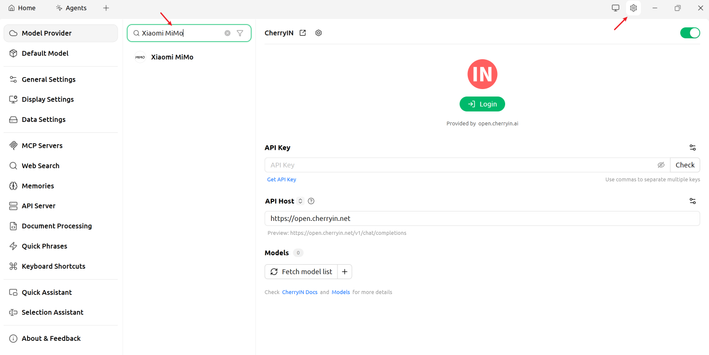
点击右上角设置图标,进入模型服务页面,在搜索框中搜索 Xiaomi MiMo。
2. 配置基本信息
普通 API 调用
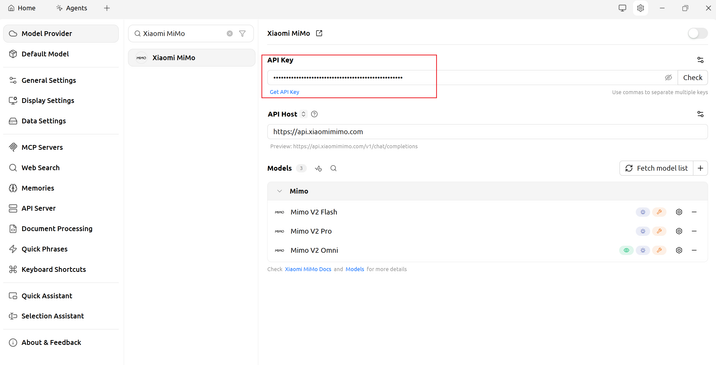
由于 Xiaomi MiMo 模型服务已经由 Cherry Studio 官方提供,所以这里仅需要提供该方式获取的 API Key 即可,API Host 保持不变。
Token Plan
当成功订阅 Token Plan 后,需要替换为 Token Plan 专属的 API Key 和 API Host(BASE_URL)。
注意:Agent 模式下暂时无法使用 Token Plan。
使用 Cherry Studio
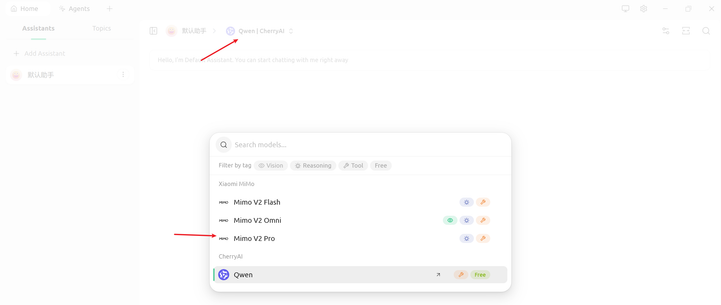
在模型列表中选择需要使用的模型,即可正常对话。
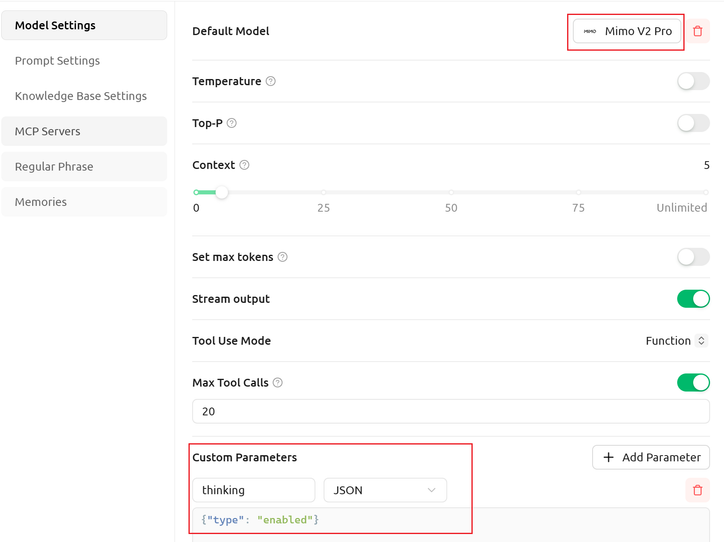
开启思考模式(可选)
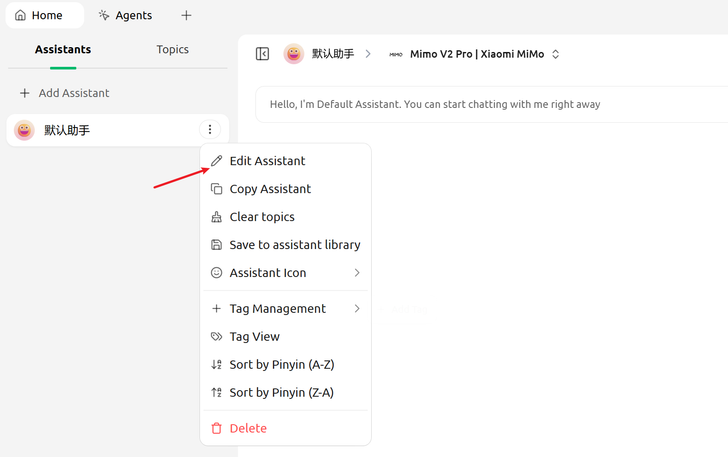
点击助手设置,添加自定义参数:"thinking": {"type": "enabled"}。
也可根据需求,设置温度、上下文等其他参数。
更新时间 2026 年 05 月 13 日